
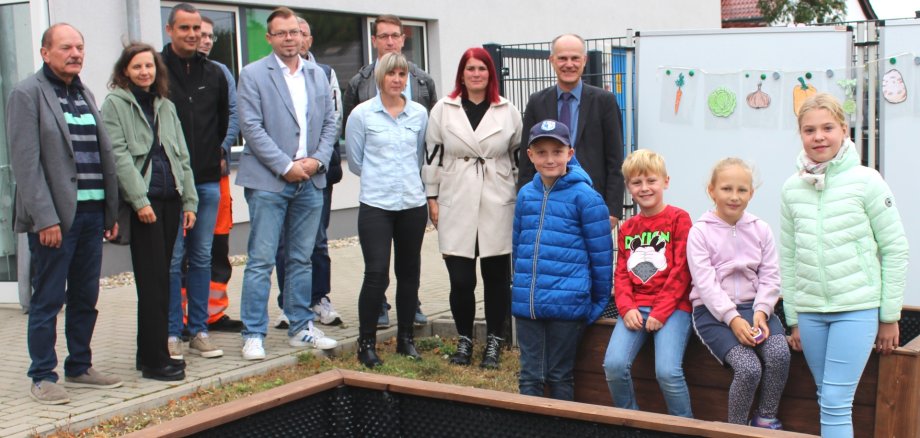
On 16 September, not only teachers and pupils, but also guests and supporters gathered on the school grounds of the primary school in Welsleben. The occasion was the handover of the two newly built raised beds. Unfortunately, the "Juri Gagarin" primary school does not have its own school garden, but the children should still have the opportunity to learn how fruit and vegetables are grown, tended and harvested.
The raised beds were built thanks to the cooperation of various partners. The impetus came from the parents, reports headmistress Juliane Hamann. Sandra Reyes-Espinosa, whose son attends the school, was the instigator of the project and made contact with the Beschäftigungsförderungs-, Qualifizierungs- und Innovationsgesellschaft mbH Schönebeck, or BQI for short. Among other things, the training provider helps people looking for work to re-enter the labour market. As part of the "creative workshop" voucher scheme, which BQI offers in cooperation with the Salzlandkreis job centre, an opportunity to implement the project idea was quickly found. The Managing Director of BQI, Stephan Schmidt, explains: "We are always on the lookout for meaningful charitable projects in which our participants can learn new skills." Matthias Staar, project supervisor at BQI, reports that a total of five raised beds have been built so far as part of the programme. Three have been located at the primary school in Großmühlingen and two on the grounds of the "Juri Gagarin" primary school in Welsleben. Thomas Holz, operations manager of the job centre, also welcomes the project and emphasises in this context: "Despite the general shortage of skilled workers, the second labour market is absolutely essential in order to prepare jobseekers for re-entry into working life in small steps." Local mayor Hans-Jürgen Korn also took the opportunity to attend the handover of the raised beds. He is impressed by the partnership-based realisation of the school garden replacement and is pleased "that together we have created something lasting".
In the long term, however, the plan is not to stop at two raised beds. At some point, each class will be responsible for cultivating its own bed. The head teacher is certain that gardening helps the children to become more independent and responsible: "The pupils learn and experience that the cucumber or tomato doesn't grow on the supermarket shelf". After a successful harvest, for example, the home-grown carrot or home-picked tomato could be processed into a tasty salad or soup by the 6 to 11-year-olds in the school's modern kitchen.