
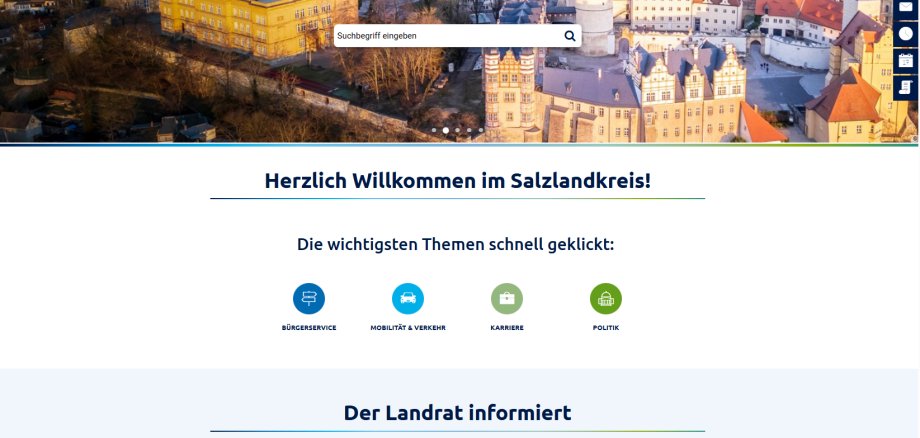
Bernburg. Simple, readable, understandable and innovative at the same time – the Salzlandkreis district website has undergone a major update. In addition to a fresh new design, the homepage now meets all the criteria that users can expect from a website. These include a layout adapted to the respective device, information about the region and district administration services that can be found with just a few clicks, the implementation of multiple languages, and improvements in accessibility, data protection and information security. The Salzlandkreis district's new social media channels are also integrated. The new website is already online. It can still be accessed at www.salzlandkreis.de.
"As a district administration, we are a modern service provider for companies and citizens. Our website now fully reflects this," says District Administrator Markus Bauer. He refers to the Salzlandkreis 2030 future strategy, according to which targeted communication plays a major role in the development of the Salzlandkreis into an attractive residential, business and residential location by creating recognisability and thus promoting regional identity. "We now have the technical prerequisites in our organisation to successfully integrate further innovative tools such as artificial intelligence into other work processes in the future - confidently, securely and as a reliable addition to our current and future services. We are tackling this in a planned and structured way."
Dirk Helbig, head of the department responsible for the relaunch, explains that the website is no longer primarily based on the complex structure of the district administration, but rather considers where users expect to find information. In doing so, it became clear that there must be several ways to achieve this goal. An AI-based chatbot that complies with data protection regulations will also help users find their way around the site. "We first want to test the added value of such a service and examine what other services can be derived from it for the people in the Salzlandkreis district." In addition, the information on the website will be reduced to the necessary minimum.
Online appointment bookings and the download of all forms are of course still possible. Where the requirements for official services under the Online Access Act are possible, there are also corresponding options. According to Head of Staff Dirk Helbig, the aim is for applicants to be able to submit requests to the district administration at any time and from any location. The state's guide to authorities, the citizen and business service, is also better integrated into the new service.
The relaunch was supported by the Ministry of Infrastructure and Digital Affairs of Saxony-Anhalt. Funding totalling 80,000 euros was granted via the guideline for the granting of subsidies for measures to shape demographic change. The Salzland district's own contribution amounts to 20,000 euros. District Administrator Markus Bauer emphasises that the relaunch is a success. However, just like the design of the region, the development of the website can never be completed. It is already clear that geoinformation with data from the Salzland district will play a greater role in the future. Initial experience with a "Salzlandkreis geoportal" is to be gained for the region and administration in a next step. The job centre's website will also be relaunched in the coming weeks.