
This page has been automatically translated. There may therefore be discrepancies and inaccuracies in the text. Only the original version is binding. Legal claims arising from the content of the translated version are excluded.

Börde Hamster Tour

Logo_Börde-Hamster-Weg

This cycle route covers the region north of the Bode and west of the Saale and Elbe rivers in two circuits of different sizes.

The Magdeburger Börde, which is crossed here to the south of Magdeburg, is a flat, fertile lowland with few trees and some of the most productive soil in Germany. A 19th century proverb (Bördeplatt) lists eleven villages in the eastern part of the Magdeburger Börde:


Schtemmern, Biere, Barendorp, Zens, Mühlinge, Eickendorp, Brumby and Glete, Illnitz and Festede; Atzendorp is ok there; shouldn't there be eleven there?

Three of these villages are located on the Bördehamster cycle path. But why did the Bördehamster give this cycle path its name? The Bördehamster is, of course, the field hamster, which is particularly at home in areas with loess and clay soil and therefore finds the best conditions in the Börde.

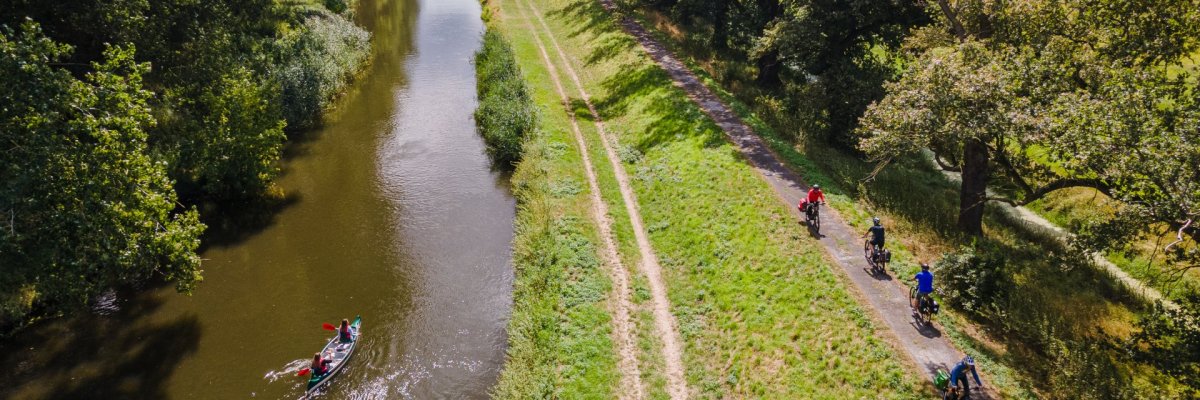
Along the Bördehamster cycle path, you can discover the wide landscape with views as far as the horizon - no forest or mountain blocks the view -, the typical Börde villages with large farmsteads enclosed by high walls and gates, some mills and the large churches, because Börde farmers were rich. But there are also gems to marvel at, such as the village of Wespen with its timber-frame church. The route is linked to the Elbe cycle path near Schönebeck and Barby and the Saale cycle path near Barby and Calbe. You can visit the Bad Salzelmen brine baths, the Eickendorf Museum of Soil Appraisal, the local history museum in Calbe or enjoy a refreshing dip in the Barby lake park. Headgear is recommended for hot days, as shade is a rare commodity in this landscape.

Northern loop: 48
kmSouthern loop: 15 kmGrand
loop: 61 km

Impressions

Help with accessibility

  • General

    We strive to make our websites accessible to all users. Details can be found in our accessibility statement. You can send us your suggestions for improvement using our accessibility feedback form.

  • Font size

    To adjust the font size, please use the following key combinations:

    Larger

    command
    +

    Smaller

    command

    Larger

    Ctrl
    +

    Smaller

    Ctrl
  • Keyboard navigation

    Use TAB and SHIFT + TAB to navigate through next/previous links, form elements, and buttons.

    Use ENTER to open links and interact with elements.

  • Contrast mode

    Press the following key combination to reduce or increase the contrast:

    Enlarge

    control
    option
    command
    .

    Decrease

    control
    option
    command
    ,
    Note: The shortcuts must be activated in the system settings of the operating system.

    Press the left ALT key + left SHIFT key + PRINT to quickly turn high contrast mode on or off.

  • Invert colours

    Press the following key combination to switch the colour inversion on and off:

    control
    option
    command
    8
    Note: The shortcuts must be activated in the system settings of the operating system.

    First activate the screen magnifier and then switch the colour inversion on and off with the following key combinations:

    1. screen magnifier

    +

    2. invert colours

    Ctrl
    Old
    I
  • Screen magnifier

    Press the following key combinations to use the screen magnifier:

    Switch on/off

    option
    command
    8

    Enlarge view

    option
    command
    =

    Zoom out view

    option
    command
    Note: The shortcuts must be activated in the system settings of the operating system.

    Switch on / Enlarge view

    +

    Zoom out view